
Xdebug 2.3: Improvements to Tracing
This is the fifth article in a series about new features in Xdebug 2.3, which was first released on February 22nd.
In this instalment we are going to have a look at the additions to the trace file functionality. Trace files are a way to document every function call, and if you enable it, variable assignment and function's return values — including when these functions were called, and how much memory PHP was using at the moment of function entry (and exit).
Xdebug 2.3 adds a new type of parameter rendering for stack traces and function traces through the xdebug.collect_params setting. Existing options are 1/2 for just the variable type, 3 for a string description, and 4 for a string description and a variable name. Xdebug 2.3 now also features a base64 encoded serialized representation of the variable's contents (option 5). Which means that the following lines:
$a = array(1, "foo", M_PI);
var_dump($a);
show up in the following 5 ways with different variations of the xdebug.collect_params setting:
-
var_dump(array(3)) -
var_dump(array(3)) -
var_dump(array (0 => 1, 1 => 'foo', 2 => 3.1415926535898)) -
var_dump(array (0 => 1, 1 => 'foo', 2 => 3.1415926535898)) -
var_dump(YTozOntpOjA7aToxO2k6MTtzOjM6ImZvbyI7aToyO2Q6My4xNDE1OTI2NTM1ODk3OTMxO30=)
This is probably more useful with the computerized trace files that are easier to parse.
In Xdebug 2.3, normal (human readable) trace files now also show the time index and memory usage for function exit lines. Function exit lines are generated when xdebug.collect_return is set to 1. Which means that with with Xdebug 2.2 you would see:
TRACE START [2015-03-28 18:48:39]
  0.0008     275928   -> test1() …/closure-trace.phpt:27
  0.0008     276848     -> {closure:…/closure-trace.phpt:20-22}() …/closure-trace.phpt:24
  0.0009     277168       -> strlen() …/closure-trace.phpt:21
                           >=> 3
                         >=> 3
                       >=> NULL
  0.0010     276056   -> xdebug_stop_trace() …/closure-trace.phpt:28
  0.0010     276184
TRACE END   [2015-03-28 18:48:39]
But in Xdebug 2.3 you instead see:
TRACE START [2015-03-28 18:48:45]
  0.0008     269144   -> test1() …/closure-trace.phpt:27
  0.0009     270096     -> {closure:…/closure-trace.phpt:20-22}() …/closure-trace.phpt:24
  0.0009     270336       -> strlen() …/closure-trace.phpt:21
  0.0010     270504        >=> 3
  0.0010     270216      >=> 3
  0.0010     269264    >=> NULL
  0.0011     269264   -> xdebug_stop_trace() …/closure-trace.phpt:28
  0.0011     269384
TRACE END   [2015-03-28 18:48:45]
This makes it easier to see how much time and memory a specific function call took, similarly to what already was shown for "computerized" trace files.
And lastly, the computerized format (xdebug.trace_format=1), has now support for showing return values as well. The return value is part of a new "frame" for a function.
Take the following invocation of PHP:
php -dxdebug.collect_params=0 -dxdebug.collect_return=1 \
        -dxdebug.trace_format=1 \
        -r '$a = array(1, "foo", M_PI); xdebug_start_trace("/tmp/trace"); echo
        serialize($a);' \
>/dev/null && cat /tmp/trace.xt
In Xdebug 2.2 this shows:
TRACE START [2015-03-29 00:08:34]
2    1    1    0.000417    267192
2    2    0    0.000547    266848    serialize   0   Command line code   1   1   array (0 => 1, 1 => 'foo', 2 => 3.1415926535898)
2    2    1    0.000626    267024
1    0    1    0.000695    266968
               0.000925    8536
TRACE END   [2015-03-29 00:08:34]
But Xdebug 2.3 has an extra "return frame" with the return value:
TRACE START [2015-03-29 00:10:11]
2    1    1    0.000462    263152
2    2    0    0.000520    262928    serialize   0   Command line code   1   1   array (0 => 1, 1 => 'foo', 2 => 3.1415926535898)
2    2    1    0.000594    263096
2    2    R                          'a:3:{i:0;i:1;i:1;s:3:"foo";i:2;d:3.1415926535897931;}'
1    0    1    0.000676    263040
               0.000881    8512
TRACE END   [2015-03-29 00:10:11]
Function 2 (the call to serialize) now has an entry frame (0) and exit frame (1) showing the time index and memory usage, as well as the new R frame showing the return value. Unlike human readable traces it is not on the same line as the exit frame because of backwards compatibility reasons.
Other parts in this series:


Life Line
Redshank Strolling On The Mud
This lovely bird was mooching about white close by on the mudflat at Brancaster Staithe. Picking through the puddles and mud to find something to eat.
#photography #Birds #BirdPhotography #BirdsOfFediverse #NaturePhotography #wildlife #Norfolk

Specify whether public transport stops have bins
Determine whether amenities are inside buildings
Specify whether public transport stops have tactile paving
Determine place names
Survey if vacant places are still vacant
Survey if places still exist
Determine roads lane count
Specify whether there are crossings at intersections of paths and roads
Survey tactile paving on steps
Specify whether steps have a ramp
Specify which way leads up for steps
Specify whether steps have handrails
Survey if places still exist
Specify cycle barrier installation
Specify cycle barrier types
Specify whether roads have lane markings
Specify whether there are cycleways
Specify bollard types
Specify width of opening
Specify path surfaces
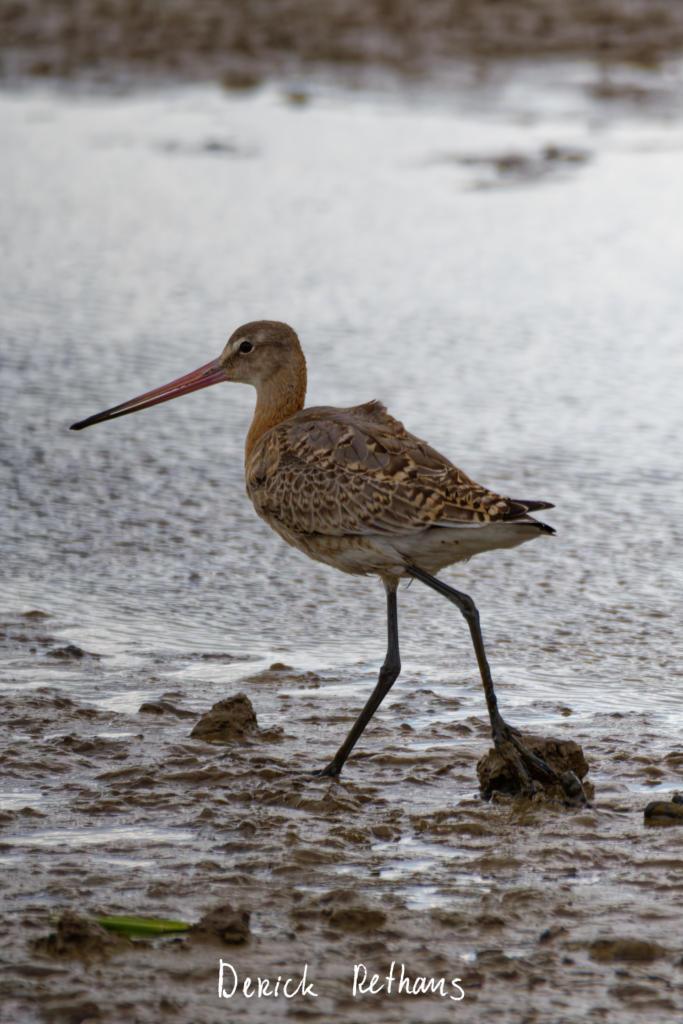
Black-tailed Godwit Smooching About
At RSPB Titchwell Marsh, there are many different habitats. This one has many muddy flats, and different species.
This bird was being chased by a fellow bird, and landed almost straight in front of the hide, with the light just being right.
#photography #Birds #BirdPhotography #BirdsOfFediverse #NaturePhotography #wildlife #Norfolk #RSPB #TitchwellMarsh
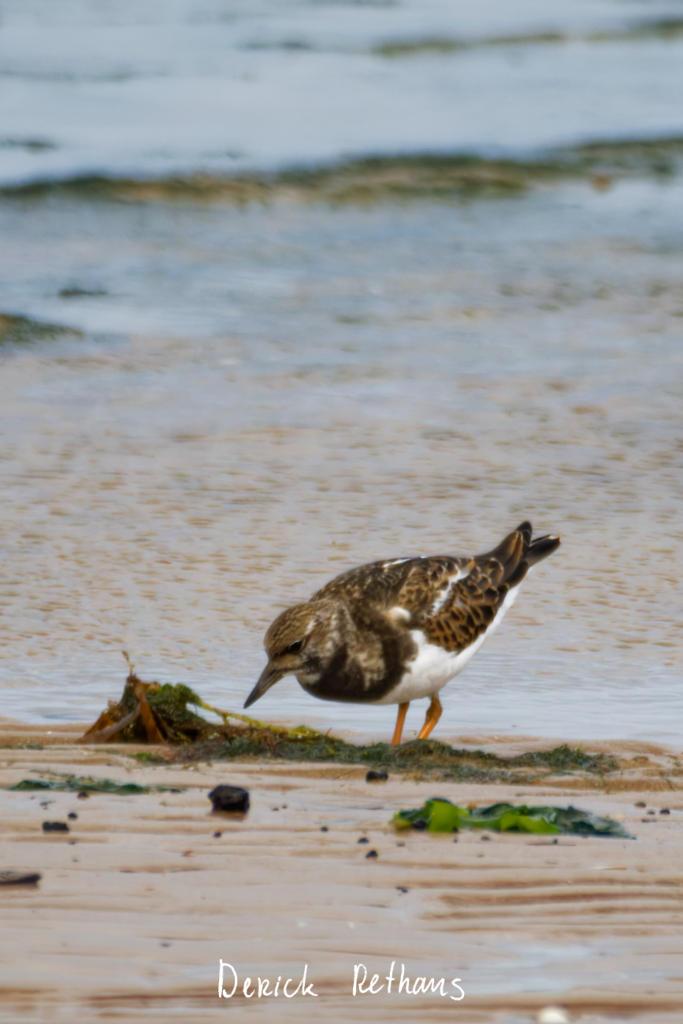
A Ruddy Turnstone Turning Over Stones On The Beach
A bunch of them were turning over things on Hunstanton Beach to see if there were any grubs to eat.
#photography #Birds #BirdPhotography #BirdsOfFediverse #NaturePhotography #wildlife #Norfolk
I've just donated blood again, for the first time in a while (for reasons). Now for the best thing, the free snacks!
Updated a restaurant and a pharmacy
Shortlink
This article has a short URL available: https://drck.me/tracing23-bom