
Address lookups with Leaflet and Nominatim
I recently wrote a patch for joind.in to add a map of an event's location to the event detail page. With the same patch, I also replaced the location part of the event edit page with a solution that uses JQuery, Leaflet as map API, OpenStreetMap tiles and Nominatim for doing address lookups. This article forms a small tutorial on how to use this same set-up yourself.
The Basics
To start, we create a new directory for our project:
mkdir addresses
cd addresses
Then I downloaded the Leaflet and jQuery libraries and extracted them in the js directory of the project:
mkdir js
curl -L https://github.com/CloudMade/Leaflet/zipball/v0.4.5 -o leaflet.zip
unzip leaflet.zip
mv CloudMade-Leaflet-*/dist/* js
rm -rf CloudMade-Leaflet-*
rm leaflet.zip
curl http://code.jquery.com/jquery-1.8.2.min.js -o js/jquery-1.8.2.min.js
As first step, we are simply going to show a map on a web page. The map is going to be full screen, and will not have any bells and whistles. The code to embed a map is small, but we will separate it into three files for clarity: a CSS file for our styles (site.css), an HTML file for the structure (index.html) and a JS file for all our JavaScript functions (js/map.js).
Let's start with the HTML file:
<html>
  <head>
    <title>Leaflet and Nominatim example</title>

    <link rel="stylesheet" href="js/leaflet.css" />
    <!--[if lte IE 8]><link rel="stylesheet" href="js/leaflet.ie.css" /><![endif]-->
    <link rel="stylesheet" type="text/css" href="site.css">

    <script src="js/leaflet.js"></script>
    <script src="js/jquery-1.8.2.min.js"></script>
  </head>
  <body>
    <div id="map"/>
    <script src="js/map.js"></script>
  </body>
</html>
This HTML file includes the Leaflet and jQuery libraries, as well as the default CSS file that Leaflet needs. We are also including our own CSS file (site.css):
body {
  margin: 0;
}
div#map {
  width: 100%;
  height: 100%;
}
In the body of the HTML file, we place a <div> as contained for the map, and then include a JavaScript file that is responsible for embedding them map:
var map;
function load_map() {
map = new L.Map('map', {zoomControl: false});
var osmUrl = 'http://{s}.tile.openstreetmap.org/{z}/{x}/{y}.png',
osmAttribution = 'Map data © 2012 <a href="http://openstreetmap.org">OpenStreetMap</a> contributors',
osm = new L.TileLayer(osmUrl, {maxZoom: 18, attribution: osmAttribution});
map.setView(new L.LatLng(51.538594, -0.198075), 12).addLayer(osm);
}
window.onload = load_map;
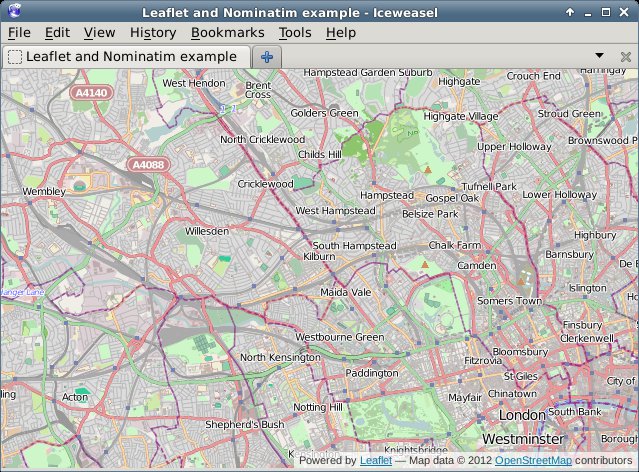
If you request the index.html page now through the browser, you will see something like:
Adding the Address Search
In order to add an address lookup form, we need to add more HTML. Our HTML will feature an input box (for the address), a submit button, and a place holder to show our results in. We add this code between the <div id="map"/> and the <script... tags:
<div id="search">
  <input type="text" name="addr" value="" id="addr" size="10" />
  <button type="button" onclick="addr_search();">Search</button>
  <div id="results"/>
</div>
To style this, we add the following at the end of our CSS file:
div#search {
  background-color: white;
  position: absolute;
  bottom: 40px;
  left: 40px;
  width: auto;
  height: auto;
  padding: 10px;
}
div#search input {
  width: 200px;
}
div#results {
  font-style: sans-serif;
  color: black;
  font-size: 75%;
}
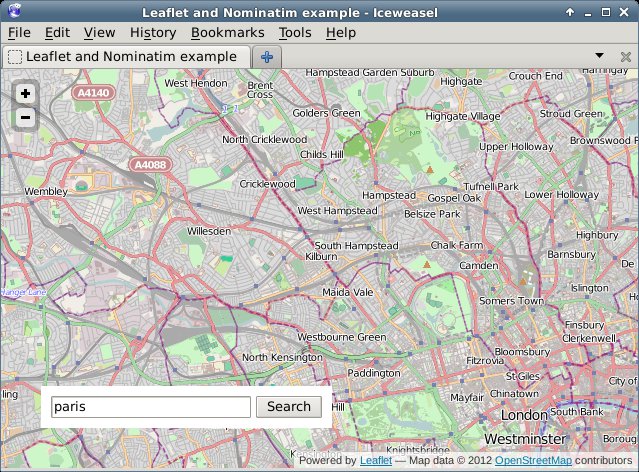
If we reload the page in our browser, we will see something like:
Now the only thing left to do is to implement the addr_search function. In our JS file (js/map.js) we add before window.onload = load_map; the following lines (split over multiple sections in this tutorial):
function addr_search() {
  var inp = document.getElementById("addr");

  $.getJSON('http://nominatim.openstreetmap.org/search?format=json&limit=5&q=' + inp.value, function(data) {
This above line uses jQuery's AJAX capabilities to request a URL, parse the JSON result and issue a callback if it worked. We query Nominatim here, with as format json and limiting the result to 5 items. Nominatim also supports other parameters, which are documented here.
var items = [];

$.each(data, function(key, val) {
  items.push(
    "<li><a href='#' onclick='chooseAddr(" +
    val.lat + ", " + val.lon + ");return false;'>" + val.display_name +
    '</a></li>'
  );
});
For each of the items in our result, we create an <li> element which has an <a href containing a call to a JavaScript function (chooseAddr). This function is responsible for re-centering the map according to the picked latitude and longitude.
    $('#results').empty();
    if (items.length != 0) {
      $('<p>', { html: "Search results:" }).appendTo('#results');
      $('<ul/>', {
        'class': 'my-new-list',
        html: items.join('')
      }).appendTo('#results');
    } else {
      $('<p>', { html: "No results found" }).appendTo('#results');
    }
  });
}
This processes the results that came back from Nominatim. If there are results, we shows those including a Search results: header, and if there are no results, we show No results found.
Then we need to add one more function, the chooseAddr function which looks like:
function chooseAddr(lat, lng, type) {
  var location = new L.LatLng(lat, lng);
  map.panTo(location);

  if (type == 'city' || type == 'administrative') {
    map.setZoom(11);
  } else {
    map.setZoom(13);
  }
}
We simply use the latitude and longitude from the function invocation, and in order to make things slightly nicer we zoom in a bit less if the item type is either a city or an administrative border. As each of the returned results actually includes a full bounding box, we probably can use that to zoom in better, but I will leave that for your own experiments - you'd want the panInsideBounds() method of Leaflet's Map class for that.
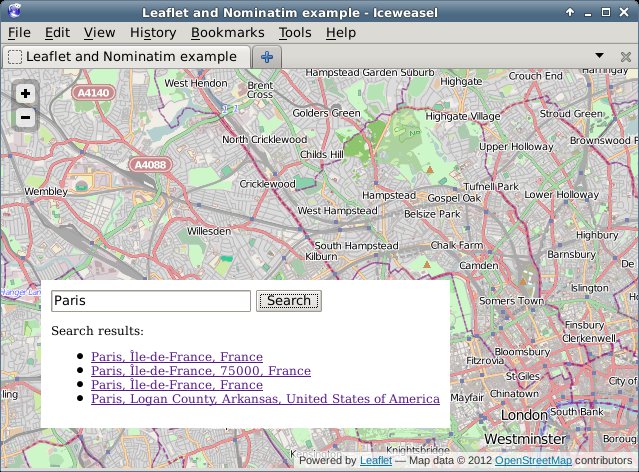
In the end, if we click on the Search button, a list is presented of all our search results:
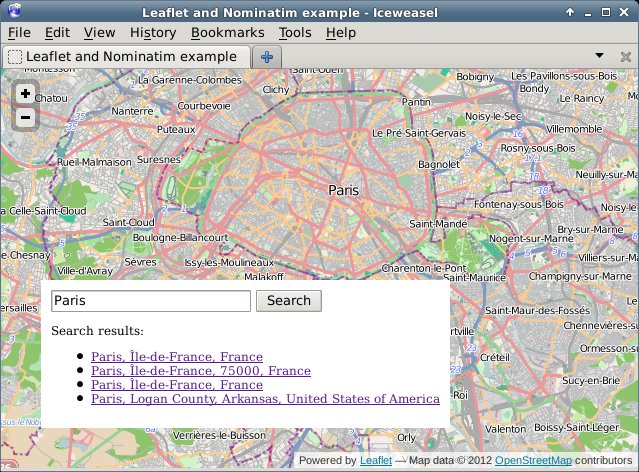
And after clicking one of the links, we see the map centered on Paris:
The code for this example is available on github in my osm-tools repository at https://github.com/derickr/osm-tools/tree/master/leaflet-nominatim-example


Life Line
Updated a cafe
Specify street/place names to addresses
Specify bicycle parking capacities
Specify bicycle parking fees
Specify bicycle parking access
Specify whether crosswalks have tactile paving
Specify width of opening
Specify whether pitches are lit
Specify pitch surfaces
Specify whether pedestrian crossings have markings
Specify step counts
Survey tactile paving on steps
Specify whether steps have a ramp
Specify which way leads up for steps
Specify whether pedestrian crossings have islands
Specify whether pedestrian crossings have traffic signals
Determine roads lane count
Specify whether roads have lane markings
Survey if places still exist
Specify whether roads have sidewalks
Survey postbox collection times
Survey opening hours
Determine whether ATM allows depositing cash
Specify bicycle parkings covers
Shortlink
This article has a short URL available: https://drck.me/addrlookup-9mg