
Flamboyant Flamegraphs
In this article, I am showing you how to make a flamegraph, a new feature in Xdebug 3.3.
Flamegraphs are an interesting way of showing where an application spends a lot of time.
To show you the functionality, I will be using Xdebug's own website, which I run locally at port 9874.
First of all, we need to configure Xdebug to make our flamegraphs. We do that in a configuration file. With php --ini I find out which file to use:
Configuration File (php.ini) Path: /usr/local/php/8.2dev/lib
Loaded Configuration File:         /usr/local/php/8.2dev/lib/php.ini
Scan for additional .ini files in: /usr/local/php/8.2dev/lib/conf.d
Additional .ini files parsed:      /usr/local/php/8.2dev/lib/conf.d/20-mongodb.ini,
/usr/local/php/8.2dev/lib/conf.d/zzz-xdebug.ini
If you are running Apache or Nginx, I would suggest you use phpinfo() output in the browser to find the same information instead.
I have a specific Xdebug INI file called zzz-xdebug.ini. Its contents are currently:
zend_extension=xdebug.so
xdebug.mode=develop,debug
Flamegraphs are part of Xdebug's tracing functionality, which we need to enable by changing the xdebug.mode line to:
xdebug.mode=develop,debug,trace
The tracing functionality supports multiple formats. The flamegraph is number three, so we need to set that as well by adding:
xdebug.trace_format=3
By default, Xdebug Tracer will put files into the /tmp directory, and use a hash of the current working directory to create a trace file name. We want distinct flamegraphs for each URL, so we need to change that by setting:
xdebug.trace_output_name=xdebug.%R
We start all files with trace., and then we use %R to configure to use the URI. Xdebug also supports many other formatting specifiers.
By default, all file names will also be postfixed by .xt.gz.
After making INI changes, you need to restart the web server.
To initiate the tracer, I use an Xdebug Helper browser extension available for Chrome, Firefox, and other browsers.
I click on the debug icon and then on trace:
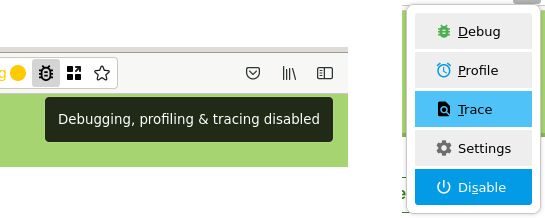
After requesting the home page, and documentation page, Xdebug's tracer created the following files in the /tmp directory:
derick@gargleblaster:~$ ls -l /tmp/trace.*
-rw-r--r-- 1 derick derick  123 Sep 26 03:31 /tmp/trace..05d7ef.xt.gz
-rw-r--r-- 1 derick derick 2560 Sep 25 16:55 /tmp/trace._core2_css.xt.gz
-rw-r--r-- 1 derick derick 3550 Sep 25 16:55 /tmp/trace._docs_.xt.gz
-rw-r--r-- 1 derick derick 2419 Sep 25 16:55 /tmp/trace._fonts_IBMPlexSans-RegularItalic-Latin1_woff2.xt.gz
-rw-r--r-- 1 derick derick 2474 Sep 25 16:55 /tmp/trace._images_logos_11com7_svg.xt.gz
-rw-r--r-- 1 derick derick 2507 Sep 25 16:55 /tmp/trace._images_logos_io_svg.xt.gz
-rw-r--r-- 1 derick derick 2530 Sep 25 16:55 /tmp/trace._images_logos_private-packagist_svg.xt.gz
-rw-r--r-- 1 derick derick 2455 Sep 25 16:55 /tmp/trace._images_logos_typo3_svg.xt.gz
-rw-r--r-- 1 derick derick 2523 Sep 25 16:55 /tmp/trace._images_logos_xdebug-cloud_svg.xt.gz
-rw-r--r-- 1 derick derick 6165 Sep 25 16:55 /tmp/trace._.xt.gz
Because we go through our PHP router process, there are also files for images and fonts.
The important ones are:
-rw-r--r-- 1 derick derick 3550 Sep 25 16:55 /tmp/trace._docs_.xt.gz
-rw-r--r-- 1 derick derick 6165 Sep 25 16:55 /tmp/trace._.xt.gz
The contents of these files look like:
{main};require_once;require_once 3046
{main};require_once;ComposerAutoloaderInit7d176ec022516f68e20dcb88554529a8::getLoader;require 7043
{main};require_once;ComposerAutoloaderInit7d176ec022516f68e20dcb88554529a8::getLoader;spl_autoload_register 9408
{main};require_once;ComposerAutoloaderInit7d176ec022516f68e20dcb88554529a8::getLoader;ComposerAutoloaderInit7d176ec022516f68e20dcb88554529a8::loadClassLoader;require 3176
{main};require_once;ComposerAutoloaderInit7d176ec022516f68e20dcb88554529a8::getLoader;ComposerAutoloaderInit7d176ec022516f68e20dcb88554529a8::loadClassLoader 41368
{main};require_once;ComposerAutoloaderInit7d176ec022516f68e20dcb88554529a8::getLoader;dirname 6061
…
In order to create a flame graph, we need to pass this through a Perl script. You can find this script by cloning the flamegraph GIT repository at https://github.com/brendangregg/FlameGraph
Xdebug automatically compresses trace files, which means we need to use zcat as the flamegraph.pl script tool does not understand that. The output needs to be redirected to a file. On one line, we enter:
zcat /tmp/trace._docs_.xt.gz
        | ~/dev/brendangreeg-FlameGraph/flamegraph.pl
        > /tmp/flame-docs.svg
You can now open this SVG file you can then open in a browser.
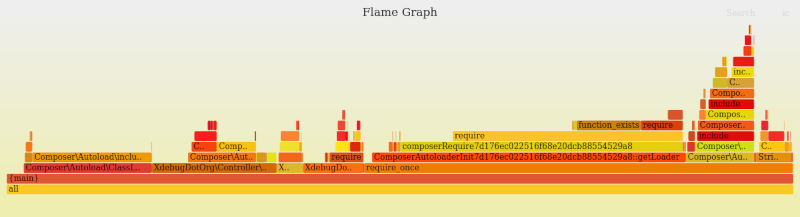
The stack shows how deep the code goes, and interestingly, for most of it, you'll see that a lot of time is taken up by Composer, as well as requiring other files.
You can dive in by clicking on specific bits. For example, I'll click on my template default controller:
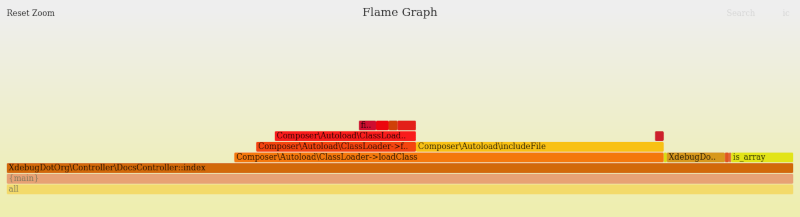
You can reset the zoom in the top left.
Xdebug's website is not very complex, and for your own code expect to see a lot more complicated flamegraph.
Once you're done, please don't forget to turn off the tracer, as it will fill up your hard drive.
This new flamegraph trace format is new in Xdebug 3.3, out soon.


Life Line
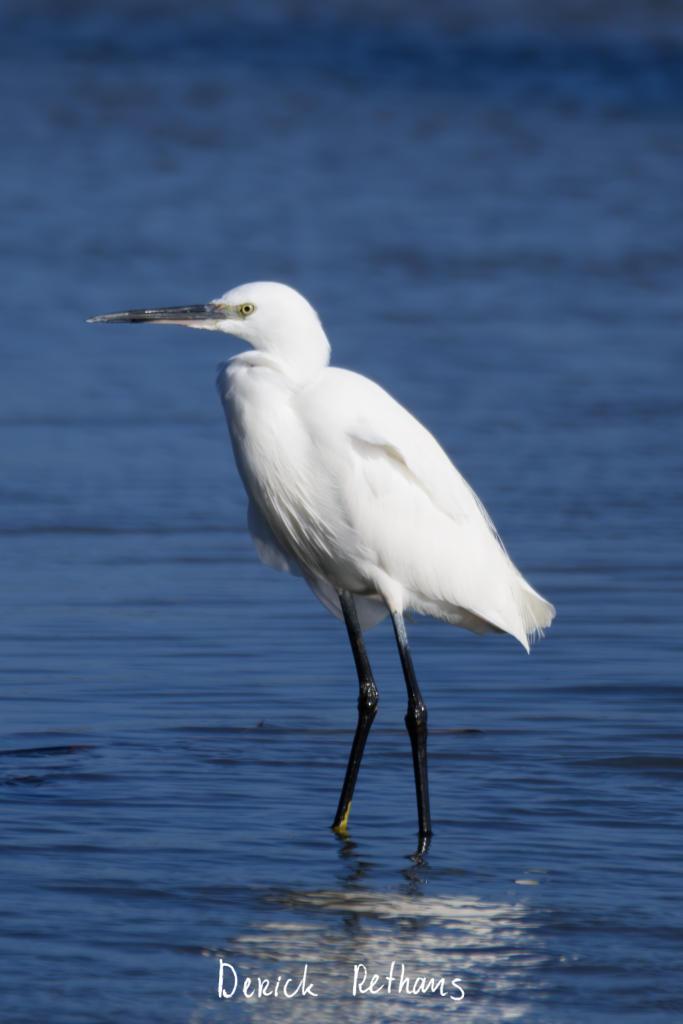
Little Egret Looking Sharp
I always like looking at these birds. They move so gracefully, but are also fun to see catch fish.
#photography #Birds #BirdPhotography #BirdsOfFediverse #NaturePhotography #wildlife #wwt #london
Updated an entrance
Iridescent Colours
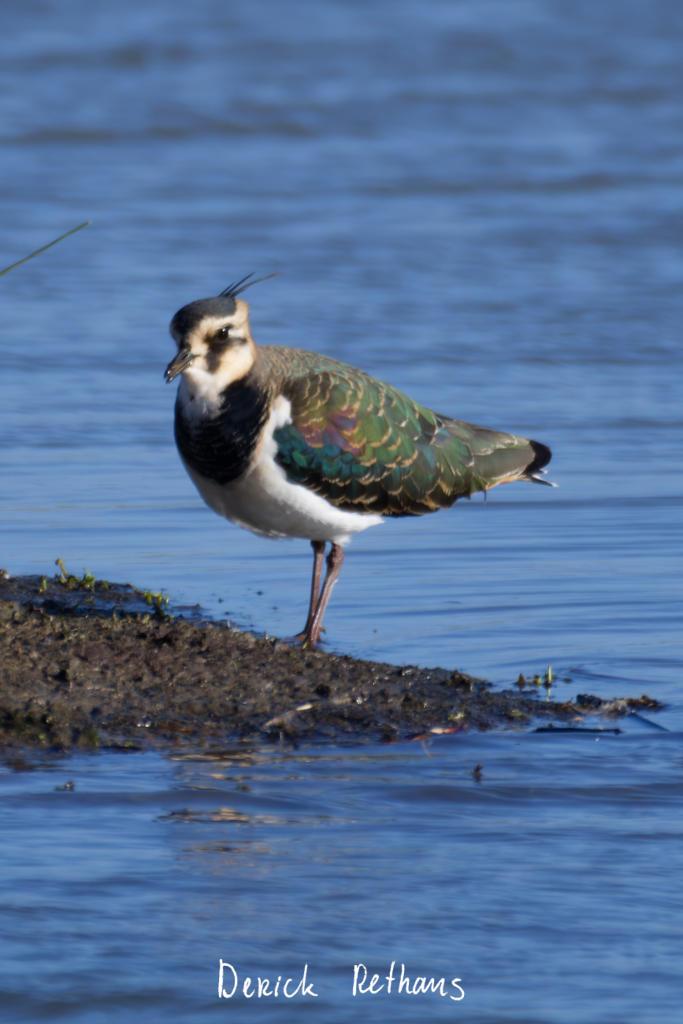
This Lapwing, one of about a hundred in the flock, nicely stopped to pose for me. The sun was getting lower making its wings shine in iridescent colours. In winter many flock together here at the London Wetland Centre.
#photography #Birds #BirdPhotography #BirdsOfFediverse #NaturePhotography #wildlife #wwt #london
Go with 2026.03
Merged pull request #189
Survey hairdresser's customers
Specify bicycle parkings covers
Determine place names
Specify whether pedestrian crossings have islands
Specify whether kerbs have tactile paving
Determine the heights of kerbs
Specify whether crosswalks have tactile paving
Determine whether ATM allows depositing cash
Specify cycleways width
Survey whether benches have backrests
Specify whether traffic signals have sound signals
Specify whether traffic signals have tactile indications that it's safe to cross
Specify maximum heights
Add whether public transport stops are lit
Survey opening hours
Specify motorcycle parking fees
Determine road names and types
Specify motorcycle parking capacities
Specify motorcycle parkings covers
Specify parking access
Shortlink
This article has a short URL available: https://drck.me/flgrph-i3g