
10 years of Xdebug and Xdebug 2.2.0 released

Today it has been ten years since the first release of Xdebug: version 0.7.0. I would like to celebrate this tenth anniversary with a new release: Xdebug 2.2.0. Xdebug 2.2 adds support for PHP 5.4 and provides some new features:
Colours on the command line
First of all there is now var_dump() overloading and colours on the command line. I've already written about that before, but here are the screenshots again:
Linux/Mac:

Windows:

You can find an article about this here.
Better support for closures in stack and function traces
Closures are functions that don't have a function name associated with them. Therefore, Xdebug creates a pseudo function in its stack traces. The stack trace for this example:
<?php
function test1()
{
        $f = function($a, $b) {
                $Q = strlen($a * $b);
                trigger_error('foo');
        };

        $f(5, 25);
}

test1();
?>
Looks like:
Notice: foo in /tmp/closure-stack-trace.php on line 21

Call Stack:
        0.0009     268464   1. {main}() /tmp/closure-stack-trace.php:0
        0.0026     269288   2. test1() /tmp/closure-stack-trace.php:27
        0.0032     270024   3. {closure:/tmp/closure-stack-trace.php:19-22}($a = 5, $b = 25) /tmp/closure-stack-trace.php:24
        0.0038     270496   4. trigger_error('foo') /tmp/closure-stack-trace.php:21
In the 3rd line in the call stack you see {closure:/tmp/closure-stack-trace.php:19-22}($a = 5, $b = 25) where /tmp/closure-stack-trace.php:19-22 contains the filename and line numbers on which the closure is defined at.
The size of arrays is now shown with the overloaded variable output
After this change, each array in the HTML version of the overloaded var_dump() function now looks like:
<b>array</b> <i>(size=5)</li>
Before the change, this was only:
<b>array</b>
Added the method call type to xdebug_get_function_stack
This changes adds another array element to xdebug_get_function_stack() to show whether it was a static or dynamic function call. For example, for:
new Error_Entry(false, $errno);
It now adds the ["type"]=> string(7) "dynamic" element to each stack element:
array(6) {
  ["function"]=>
  string(11) "__construct"
  ["type"]=>
  string(7) "dynamic"
  ["class"]=>
  string(11) "Error_Entry"
  ["file"]=>
  string(%d) "%sbug00241.php"
  ["line"]=>
  int(11)
Extra information to error printouts to tell that the error suppression operator has been ignored due to xdebug.scream
When you have the xdebug.scream option activated, Xdebug will now tell you when it had any effect on the error reporting with a big "SCREAM: Error suppression ignored for" warning prepended to the actual error message.

Changelog
You can find the full changelog for Xdebug 2.2.0 at the Xdebug website where you can also download the latest version. If you are using Windows, and don't know which binary to download, please refer to the wizard.
Support
If you find Xdebug valuable for your PHP development, perhaps you want to support its development by acquiring a "support" contract. See the buying "support" page if you feel generous.
What's next?
Now Xdebug 2.2 is out of the door, I am looking for new features to add to Xdebug. What would you like to see added to Xdebug? Please leave a comment here, or add your feature requests at http://bugs.xdebug.org.

Comments
I am still hoping that we will find the time to implement what we outlined in http://sebastian-bergmann.de/archives/913-Towards-Better-Code-Coverage-Metrics-in-the-PHP-World.html ;-)
Congratulations on ten years of Xdebug!
Congrats on the 10 years! This is a heckuva tool you developed and I use it every day to debug my code.
Still shipping with .cvsignore ;-) Thank you for the hard work and h'ppy birthday Xdebug.


Life Line
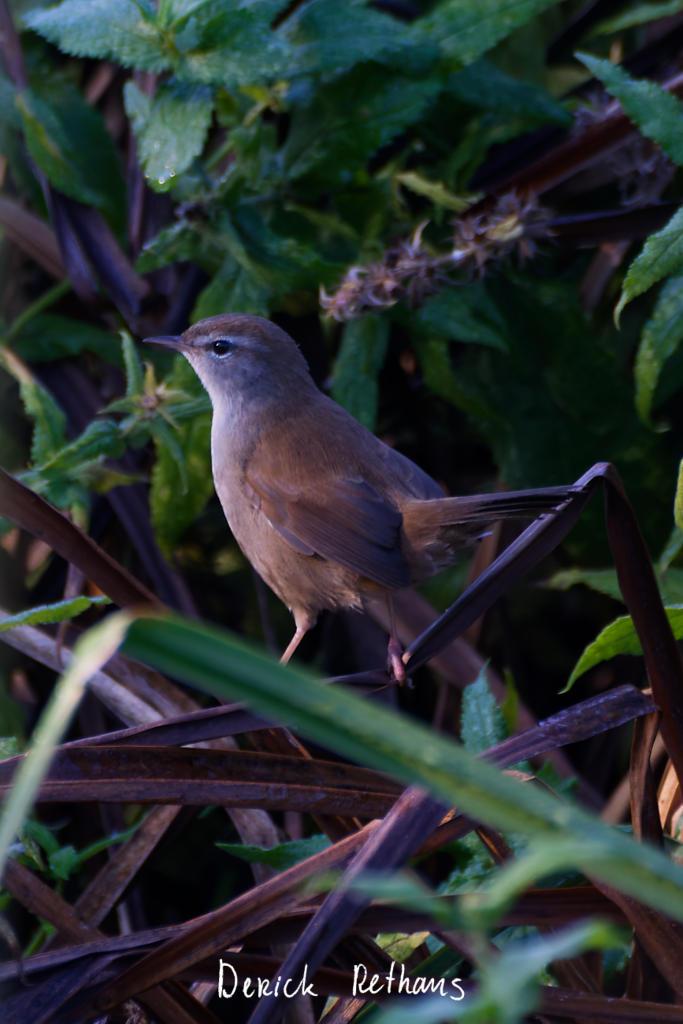
Finally A Photo Of A Cetti's Warbler
I have heard their songs countless times — they're very loud! And seen fleeting glances if then before. But finally one decided to almost pose on this branch in the reeds of the WWT London Wetland Centre, right in the city.
#photography #Birds #BirdPhotography #BirdsOfFediverse #NaturePhotography #wildlife #london #wwt
Merge branch 'v2022'
Fix test after recent data update
Specify motorcycle parking fees
Specify motorcycle parking capacities
Specify motorcycle parkings covers
Specify parking access
Specify whether public transport stops have bins
Specify whether pedestrian crossings have islands
Survey postbox collection times
Specify whether crosswalks have tactile paving
Specify whether kerbs have tactile paving
Determine the heights of kerbs
Specify bicycle parkings covers
Specify whether pedestrian crossings have markings
Specify whether pedestrian crossings have traffic signals
Specify whether there are crossings at intersections of paths and roads
Determine roads lane count
Specify whether roads have lane markings
Specify width of opening
Survey whether benches have backrests
Survey opening hours
Specify access to places
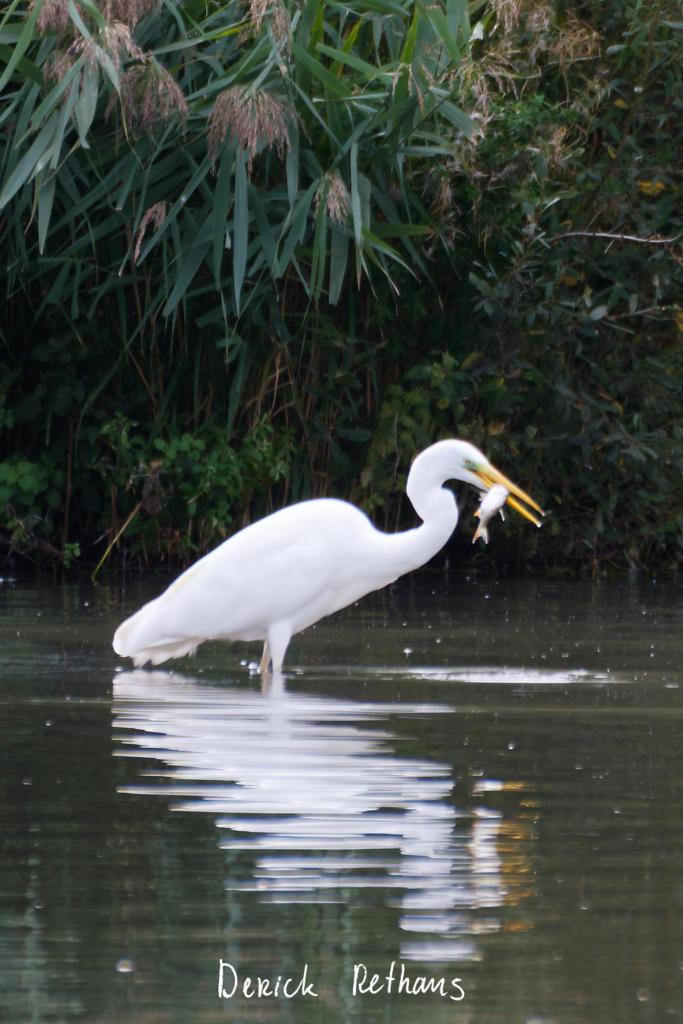
Great Egret Has Caught a Fish
A bit in the distance, but the first time a got a reasonable shot of a Great Egret at WWT Arundel. It had caught a fish, which it then proceeded to eat. I love its green eye. Hopefully I get to see it a bit closer at some point.
#photography #Birds #BirdPhotography #BirdsOfFediverse #NaturePhotography #wildlife #wwt #Arundel
Taking Off
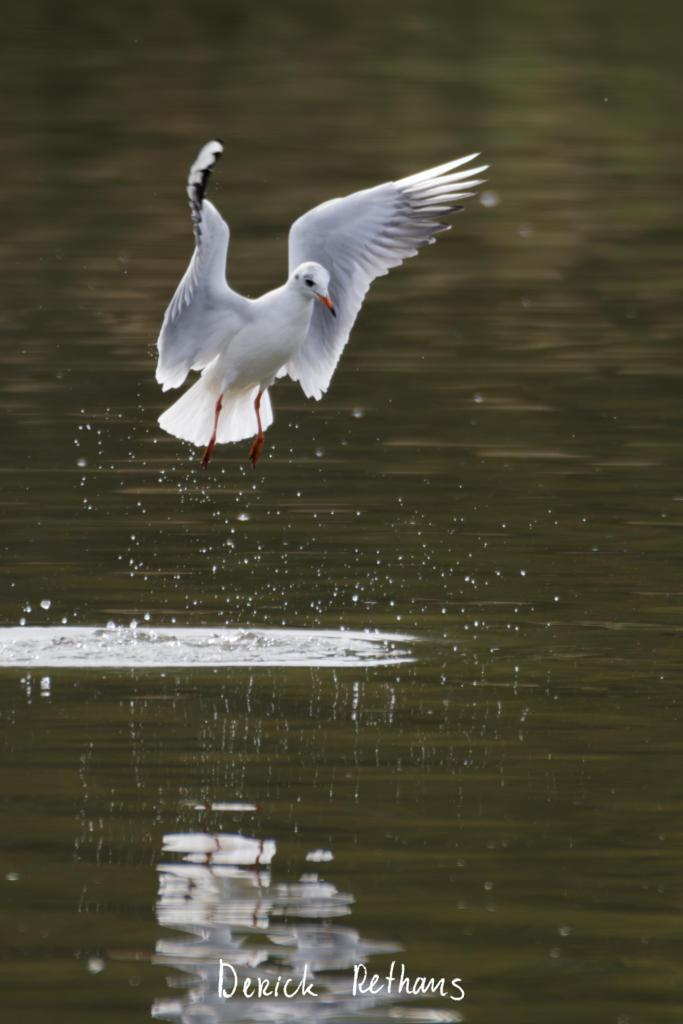
This Black-headed gull had been bobbing around for a bit, but decided to circle around. Caught it just at the right time at WWT Arundel.
#photography #Birds #BirdPhotography #BirdsOfFediverse #NaturePhotography #wildlife #Arundel #WWT
Shortlink
This article has a short URL available: https://drck.me/xdebug-10-9eo