
Remote Debugging PHP with a Firewall in the Way
Updated on March 25th, 2022 to reflect the new setting names for Xdebug 3. See also the upgrade guide for various other changes.
The PHP debugging extension Xdebug has "remote" debugging capabilities for single-step debugging PHP applications. This works by setting your favourite IDE into listening mode and instructing Xdebug (with one of the handy browser extensions for example) to initiate debugging. When Xdebug is instructed it tries to make a connection to the IP address and port number that are configured in php.ini. On this IP address and port Xdebug expects to find a listening IDE. This IP address can just be 127.0.0.1 in case your IDE and web server/CLI script run on the same machine. But as Xdebug supports remote debugging, PHP/Xdebug could also be running on a totally different machine than your IDE. In that case, you need to pick the IP address of the machine on which the IDE is running as the configuration value for xdebug.client_host (Xdebug 2 used xdebug.remote_host). Alternatively you can set xdebug.discover_client_host (Xdebug 2 used xdebug.remote_connect_back) to true, so that Xdebug may simply pick up your client machine's IP address from the HTTP headers.
There could however be a firewall in the way that prevents Xdebug connecting directly to your IDE's IP address. That can be because the network you are on employs NAT in which case you could try (to convince) to get your system administrator to install a DBGp proxy. In some cases, the system administrator might not be willing to do so, or perhaps, there is simply a black box that doesn't allow either a proxy to be run on it, or port forwarding to be set-up on. In this case, there is no way Xdebug can connect to your IDE's IP address and port. Or is there?
Breaking the Firewall Down
There is another solution, at least, if you have SSH access to the development machine where Xdebug is running on. In this case, you can simply ssh in and set-up a tunnel:
ssh -R 9003:localhost:9003 username@dev.example.com
This command opens up port 9003, configured with the first 9003 in the command, for listening on the machine where you ssh-ed into. Every connection that is made to this port is then forwarded to localhost:9003, which in this case is port 9003 on the machine from where you ran the ssh command from. When you set Xdebug's xdebug.client_host setting to localhost and xdebug.client_port to 9003 you know have instructed Xdebug to connect to your SSH-tunneled connection which is forwarded to your local port 9003. And that is exactly where your IDE is listening for incoming debugging connections. Result: Firewall circumvented.
If you are using Windows on the client side then you don't have the luxury of being able to use the simple SSH client. However, you can set-up tunnels with putty as well. After configuring your normal session, go to the Connection, SSH, Tunnels section of the configuration and fill in Source port and Destination, and select Remote, just like in this screen shot:
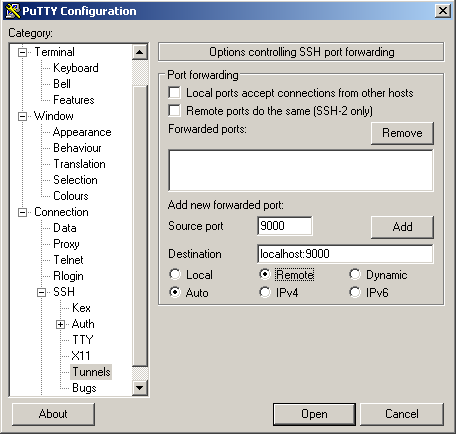
Then click the Add button and you will see the following on your screen:
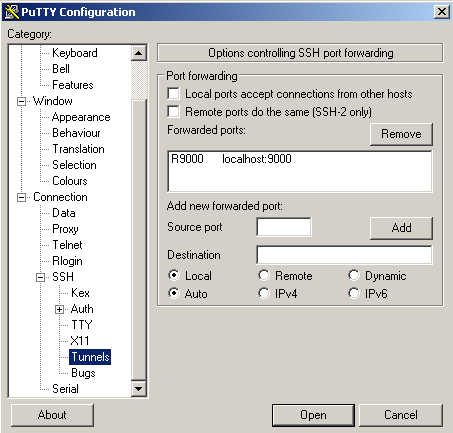
Don't forget to go back to the Session tab and press save. You're now ready to login and when you do so an SSH tunnel will be created just like in the Unix case above.
You can check whether it worked by running: netstat -a -n | grep 9003 on the SSH prompt after logging in. You should then see:
derick@xdebug:~$ netstat -a -n | grep 9003
tcp        0      0 0.0.0.0:9003            0.0.0.0:*               LISTEN
tcp6       0      0 :::9003                 :::*                    LISTEN
The tcp6 portion might not be there, but that's all right. There, even with Windows: Firewall circumvented.

Comments
Hello,
great tutorial! Thank you!
What if on your remote machine work more developers? Should they use diffrent ports?
Regards
Nice one!
Eclipse always stopped processing debugging at 57%
I use W7(IDE = eclipse) with a virtual Ubuntu web environment with XDebug
If your machines ip changes from time to time the following setting is very comfortable
xdebug.remote_connect_back=true
Thank you!
Thank you so much, after a day of messing with all the php.ini files and xdebug.ini and my firewall settings it all works like a charm.
it was actually the hardware firewall that was blocking the communication.
Thank you so much,
-J
THANKS!!! This worked after I frittered away hours trying other things. In my case, I think my Mac has a built-in firewall that needed circumvention. Or maybe the cable modem, or the router, who knows... and who cares now that the tunnel works!
Hi, Thanks for the tutorial!
I have WIndows Local and Linux remote, so I'm using Putty tunnelling. However when I check the Putty event log, I get error message:
"Remote port forwarding from 9000 refused"
Any idea how to fix this?
Thnx, -N
I wasn't looking forward to fiddling with routers, firewalls and what not, and instead found your post. Thanks, most helpful!
hey
thanks a million for your post.
After trying for hours now it worked in minutes.
this was very helpful
Thank you so much for this!
This really is an evergreen post. I'm behind a NAT firewall and was wondering how I could get remote debugging for an actually-remote (not just virtual machine-contained) server, since I mostly work with local stuff.
Ran the command, configured Xdebug (and discovered it only really worked in php.ini, not even Apache virtual directives), and away I went.
Hours saved.
Amazing.
Thank you so very much!!
And STILLL useful. Thanks. I'll get the ports open eventually, but I need to get work done now. You're a life saver.
Fantastic! Very clear to understand and follow, and oh so useful!
Thank you Derick. It's 2020 and this is the only accurate article.


Life Line
Dartford Warbler Posing
In nearly the same spot as the Stonechat from the previous post, this tiny Dartford Warbler sat still here for a few moments.
#photography #Birds #BirdPhotography #BirdsOfFediverse #NaturePhotography #wildlife #Norfolk

Specify whether pedestrian crossings have traffic signals
Specify whether traffic signals have a button for pedestrians
Specify whether traffic signals have sound signals
Specify whether traffic signals have tactile indications that it's safe to cross
Specify maximum heights
Specify whether pedestrian crossings have markings
Survey postbox collection times
Specify type of entrances
Specify whether roads have sidewalks
Specify motorcycle parking fees
Specify access to playgrounds
Survey opening hours
Specify street/place names to addresses
Specify whether crosswalks have tactile paving
Specify whether pedestrian crossings have islands
Determine the heights of kerbs at crossings
Specify bollard types
Survey if places still exist
Survey tactile paving on steps
Specify whether steps have a ramp
Updated a post_box
Created a post_box; Updated a post_box
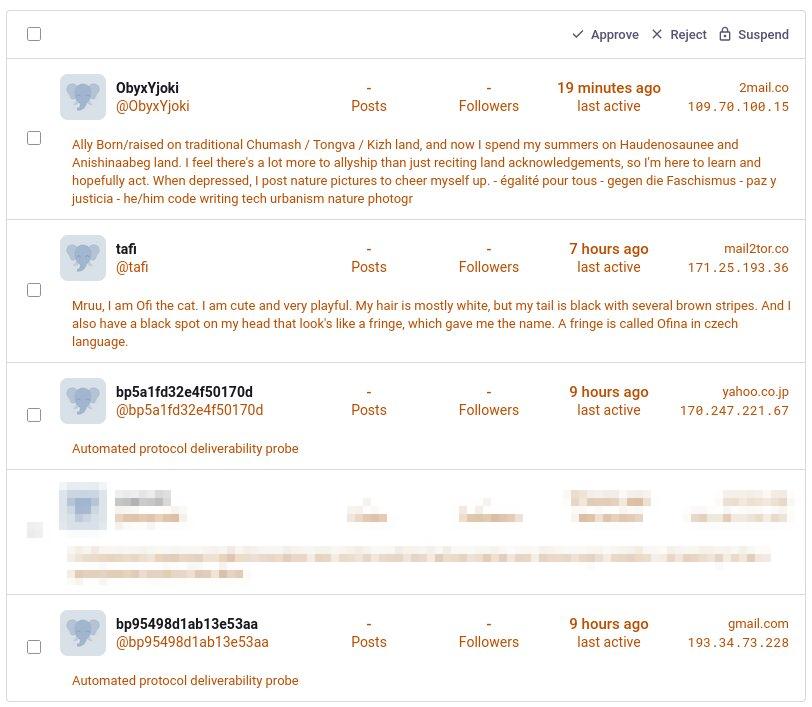
This morning's list of account requests for our Mastodon instance is even weirder than normal.
AI, wasting more time yet again. Sigh.
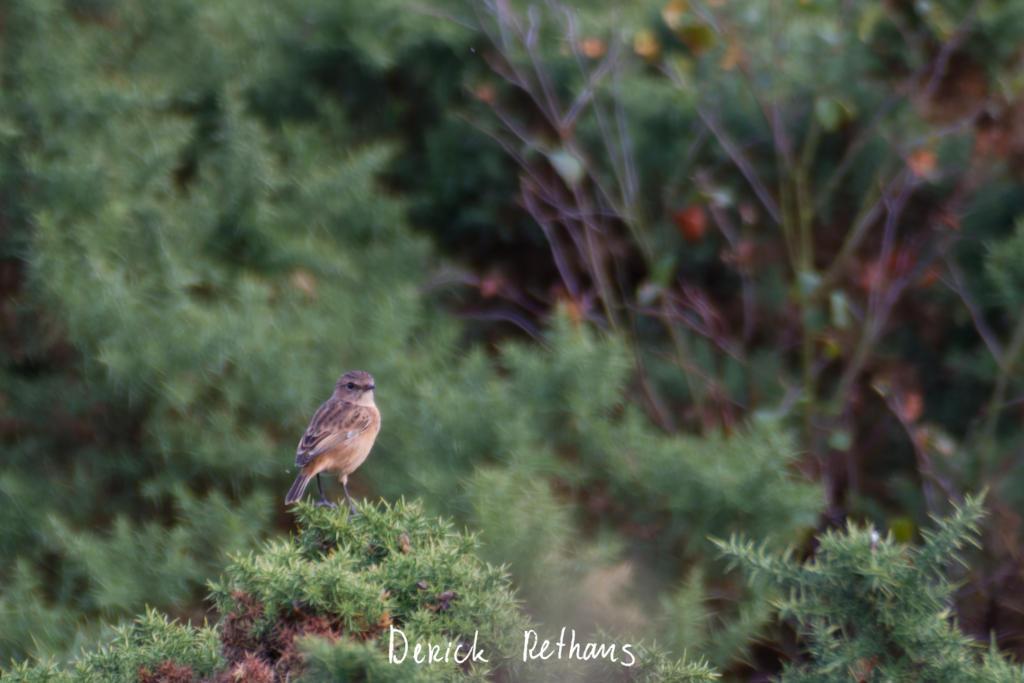
Young European Stonechat perched upon a branch.
We were looking out for Dartford Warblers, but then this cheeky bird popped up. A little far away, but it sat still nicely.
#photography #Birds #BirdPhotography #BirdsOfFediverse #NaturePhotography #wildlife #Norfolk
Shortlink
This article has a short URL available: https://drck.me/xdebug-fw-8r4